Reset Spotfire BarChart Data limit and Axis Value Reset


from Spotfire.Dxp.Application.Visuals import AxisRange from Spotfire.Dxp.Application.Visuals import VisualContent vc=vis.As[VisualContent]() vc.Data.WhereClauseExpression=”[Amounts]<>0 and ([Days]< Max([Days]))” vc.XAxis.ZoomRange = AxisRange.DefaultRange; vc.YAxis.ZoomRange = AxisRange.(0,200); Note: vis is a parameter which needs to be assigned with Chart
Hide Spotfire data table column using python script
from Spotfire.Dxp.Application.Visuals import CrossTablePlot crossTable = ct.As[CrossTablePlot]() crossTable.RowHeaderWidths[0]=0 crossTable.RowHeaderWidths[1]=0
Creating D3 Visualizations with in Spotfire
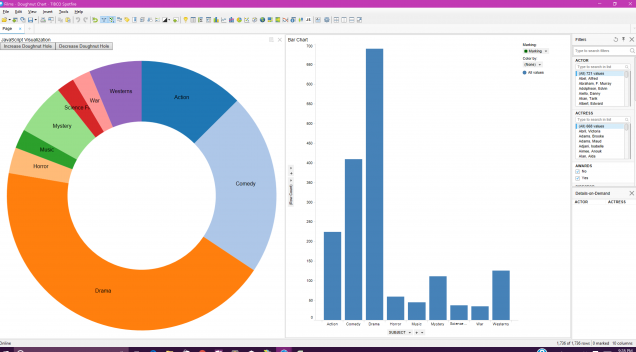

I have made a video tutorial of this D3 Visualization within Spotfire Client. Please look into the following link for the video Also please find the attached CSS & JavaScritps which I used in this tutorial from the below link.
Loading Json Web API Open Source Data into Spotfire Client
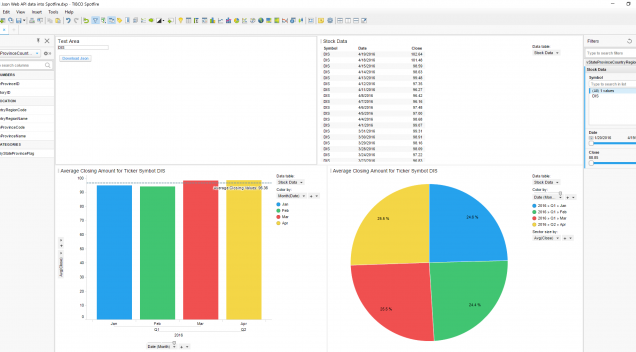

Do You want to perform analysis on open source yahoo financial data which can be accessed by JSON ? So how do you achieve this? So let’s get started. We can achieve this by either using Iron Phyton Script ….
Recent Comments